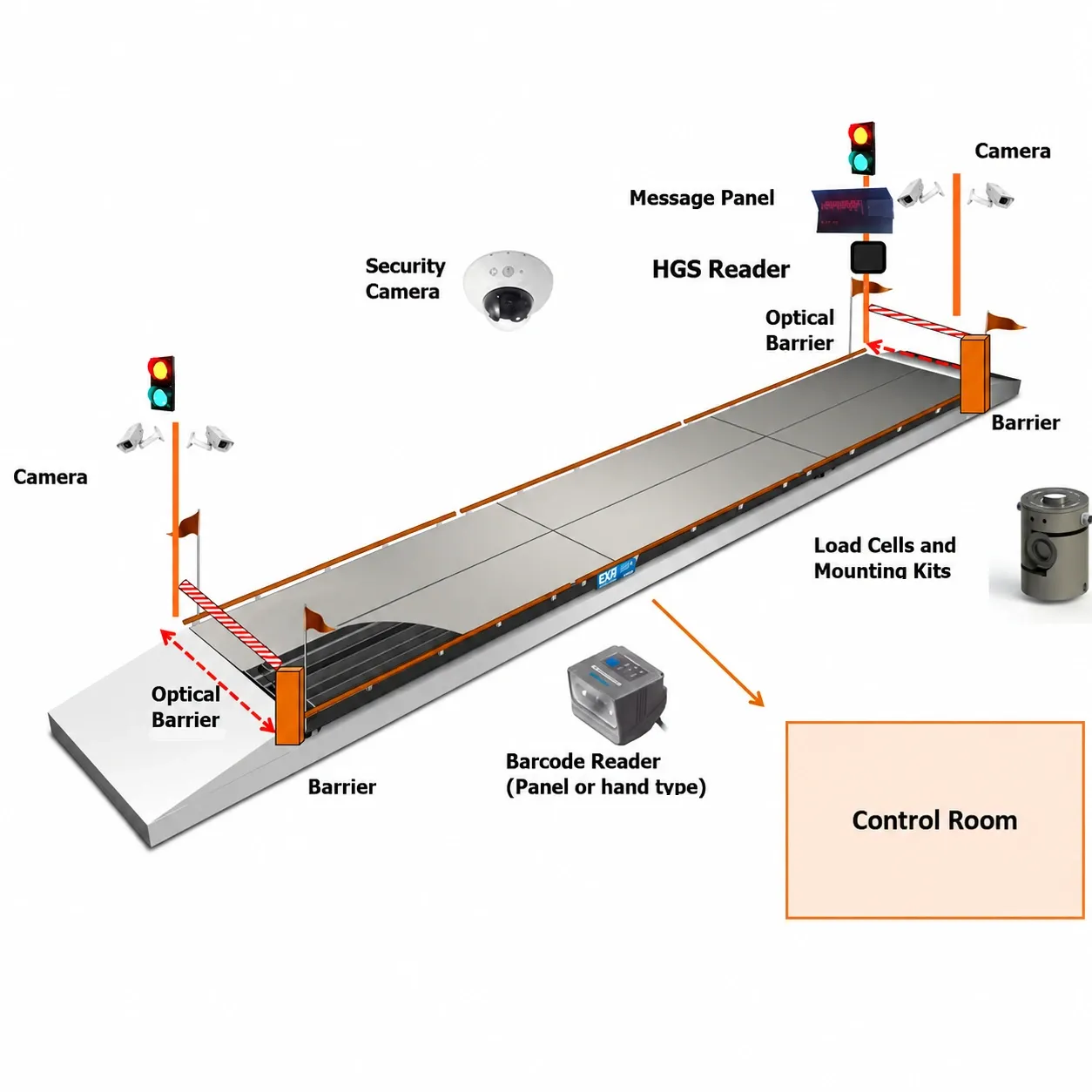
What Is the ESIT SPWIN Weighbridge Automation System?
The ESIT SPWIN weighbridge automation system is a truck scale automation package built around ESIT's SPWinPRO software. It layers cameras, traffic barriers, vehicle recognition hardware, a driver message panel and a remote control screen on top of an existing or new weighbridge, so the weighing operation runs "the requirements of the users" — quickly, safely and, where required, without a human operator physically present at the scale.
In practical terms: a truck approaches the platform, the system identifies the vehicle, guides the driver through the weighing sequence with on-screen or panel messages, captures the weight and photographic evidence automatically, and releases the barrier once the transaction is logged. Every step that would normally depend on a weighbridge clerk's judgement and paperwork is replaced with a repeatable, auditable digital process.
SPWin Automation vs a Traditional Manned Weighbridge
Factor | Manned Weighbridge | ESIT SPWIN Automated Weighbridge |
|---|---|---|
Staffing | Requires a clerk/operator on every shift, 24/7 if operating round the clock | Runs unattended; a supervisor can oversee multiple sites remotely |
Vehicle identification | Manual logbook or verbal confirmation | RFID tag, barcode, kiosk card, plate-recognition camera, or ESIT Tag |
Evidence of weighing | Paper ticket, sometimes a single photo | Front, rear and top camera images stored against every weighing record |
Data reporting | Manual re-entry into spreadsheets or ERP | Automatic export to ERP via XML web server or SQL database |
Dispute resolution | Relies on clerk recollection | Time-stamped digital record with photographic proof |
Multi-site visibility | Each site reports independently | Central head-office database aggregates all sites on the local network or remotely |
How ESIT SPWIN Weighbridge Automation Works, Step by Step
Understanding the sequence helps you plan site layout, barrier placement and staffing before installation.
Step 1 — Vehicle Approach & Recognition
As the truck approaches the entrance, the vehicle recognition system identifies it — via RFID label (HGS), a kiosk with a proximity card or push-button, a barcode reader, a plate-recognition camera, or an ESIT Tag. The message panel confirms recognition and instructs the driver to proceed onto the platform.
Step 2 — Weighing, Positioning & Data Capture
The bidirectional optical barrier system confirms the vehicle is correctly positioned on the platform before weighing begins. Front, rear and top-mounted cameras capture images of the vehicle during weighing, and these are stored against the weighing record automatically. The message panel updates the driver in real time — "Weighing in process," "Weight value," "Please wait," "Weighing completed" — removing any ambiguity about what to do next.
Step 3 — Barrier Release & ERP Reporting
Once the weighing transaction is complete and validated, the bidirectional traffic barrier (mechanical arm) releases and the vehicle exits. The record — weight, images, vehicle ID, timestamp — is written to the ESIT SPWinPRO database and can be synced to head office over the local network or remote access, then pushed into your ERP either via an XML web-server export on a specified date-time range, or by direct SQL database table import.
Core Components of the ESIT SPWIN Weighbridge Automation System
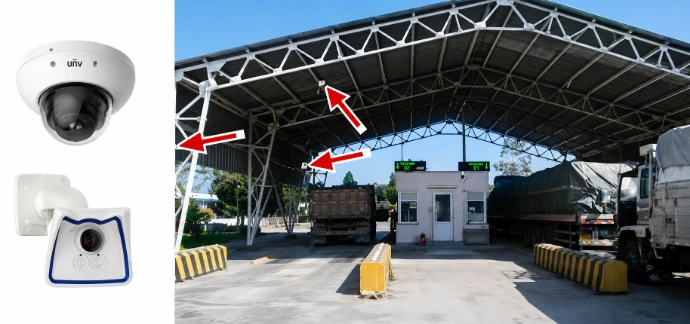
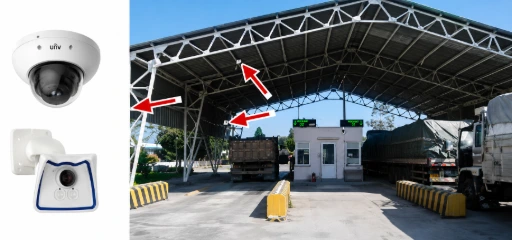
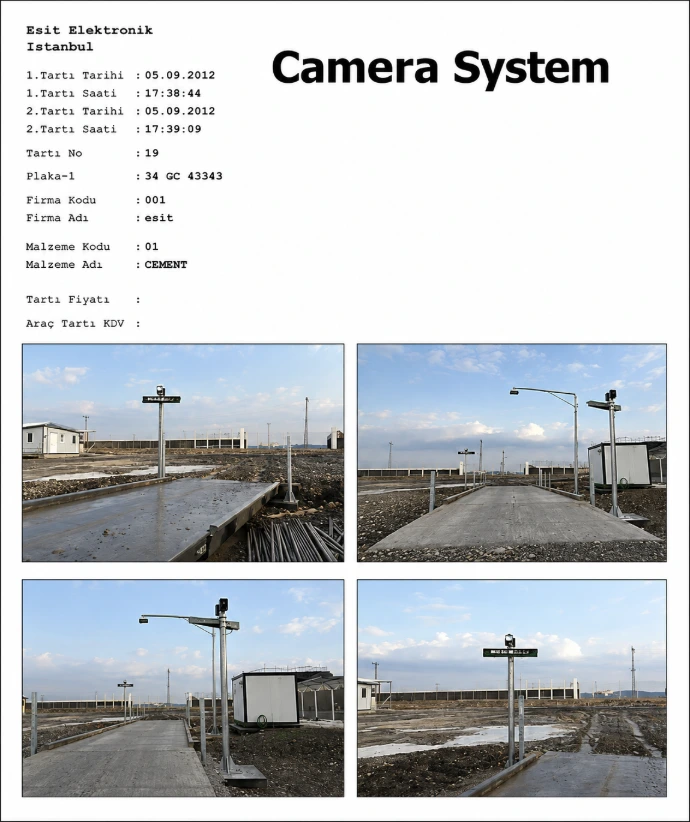
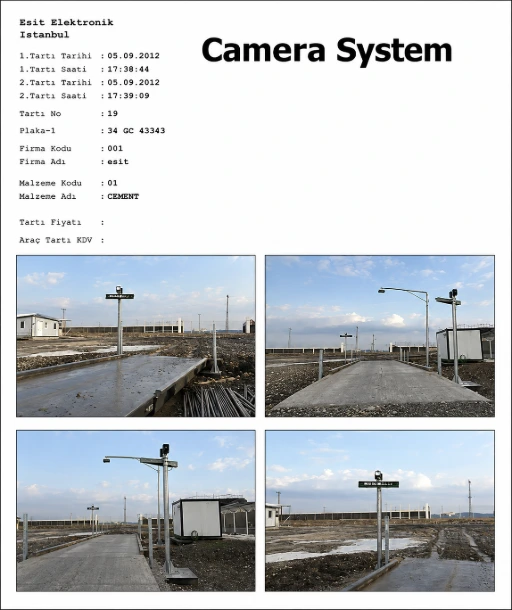
1. Camera System:
Front, rear and top-mounted cameras photograph every vehicle during weighing. Images are stored with the weighing record and can be pulled into a report on request — useful for insurance claims, cargo condition disputes, and internal audit trails on high-value loads such as fuel, cement or agricultural produce
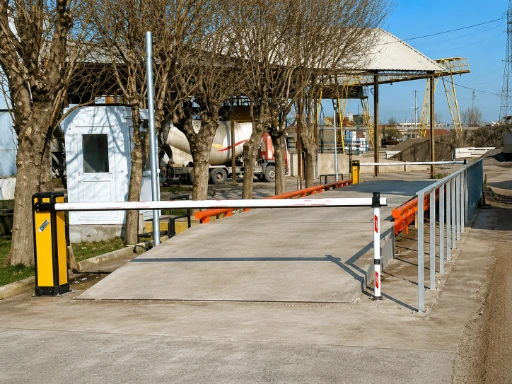
2. Bidirectional Traffic Barrier System (Mechanical Arm)
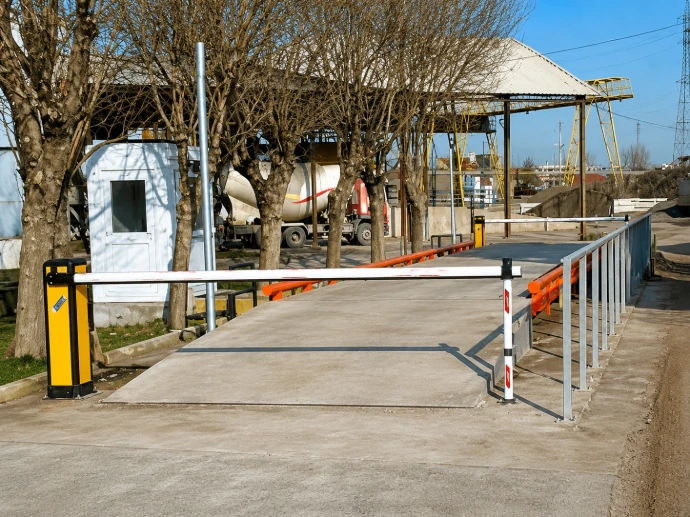
A physical mechanical-arm barrier regulates traffic flow on and off the weighbridge in both directions, preventing a vehicle from entering before the previous one has cleared and stopping premature exits before a weighing transaction is finalised.
3. Bidirectional Optical Barrier System:
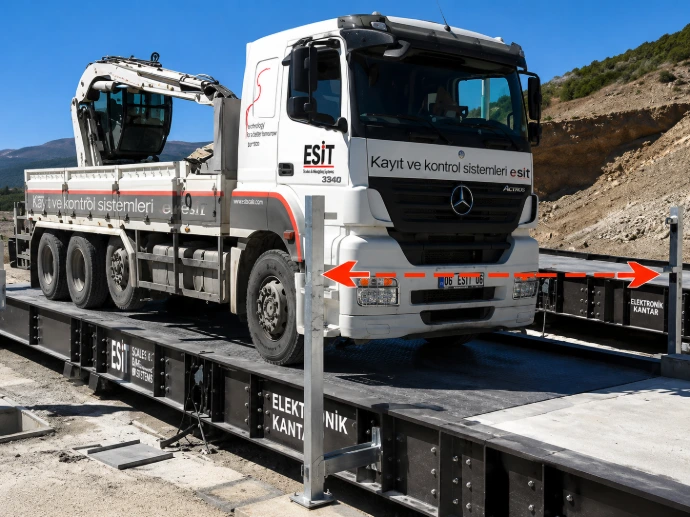
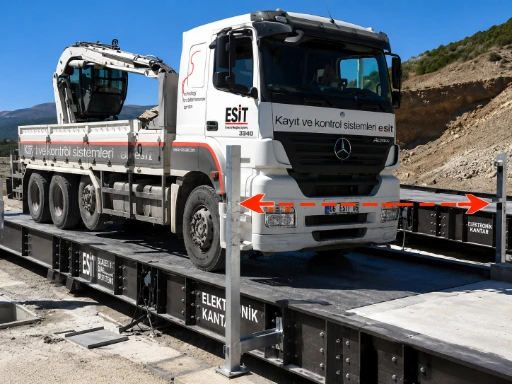
Optical (light-beam) barriers confirm a vehicle is correctly centred and fully on the platform before the system accepts a weight reading — preventing the common manual-weighbridge error of a partially-loaded axle producing an inaccurate gross weight.
4. Message Panel:
A driver-facing message panel displays guided prompts — "Please enter," "Weighing in process," "Weight value," "Please wait," "Weighing completed" — so drivers unfamiliar with the site can complete an unmanned weighing transaction without confusion or needing to leave the cab.


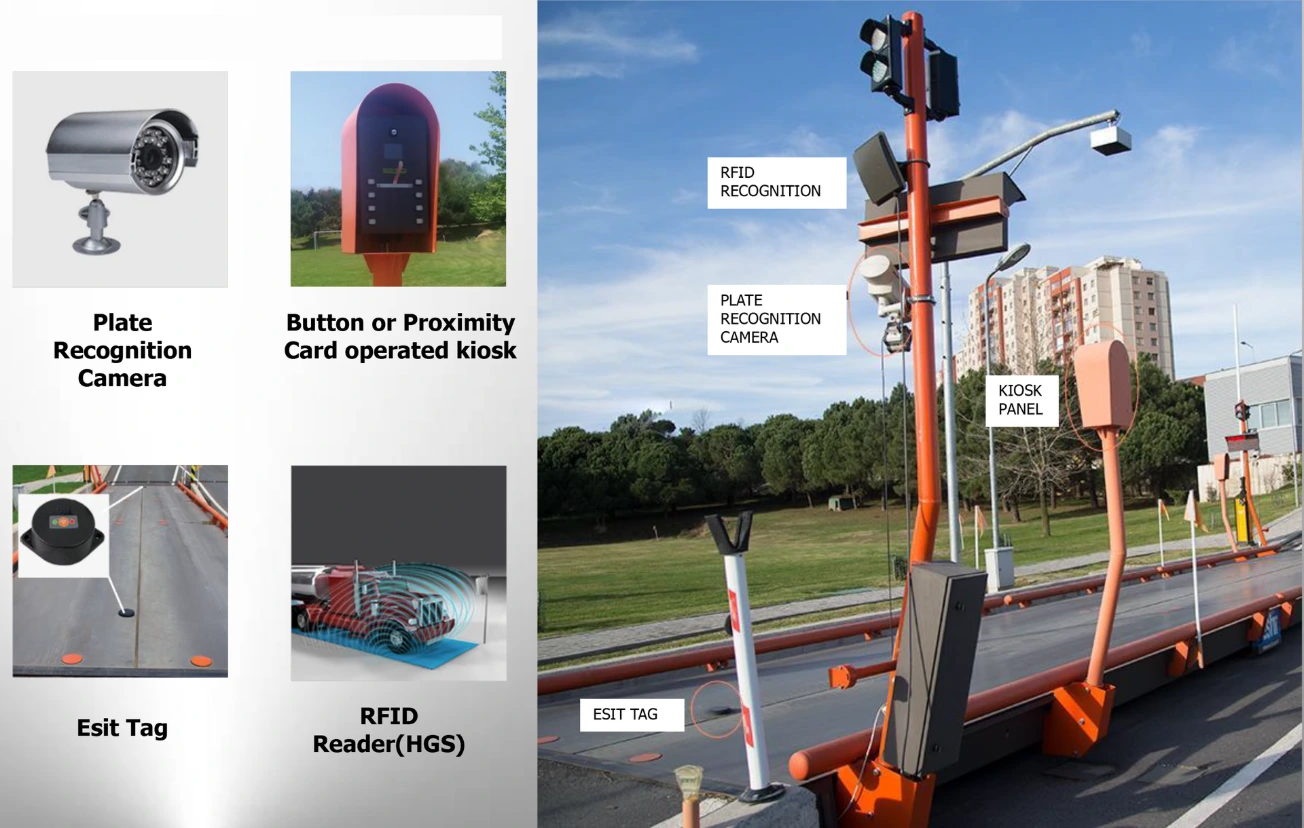
5. Vehicle Recognition System
Several recognition methods are available and can be combined: RFID Label (HGS), a kiosk with proximity card or push-button operation, a barcode reader, a plate-recognition camera, or an ESIT Tag. Fleet operators running regular routes — cement trucks, milk-collection tankers, fuel tankers — typically standardise on RFID or ESIT Tag for the fastest processing; ad-hoc or third-party vehicles use the kiosk or plate-recognition camera instead.


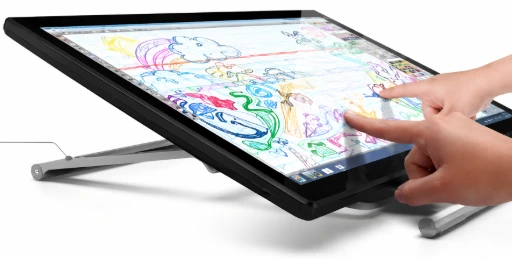
6. Remote Control Screen (TSC)
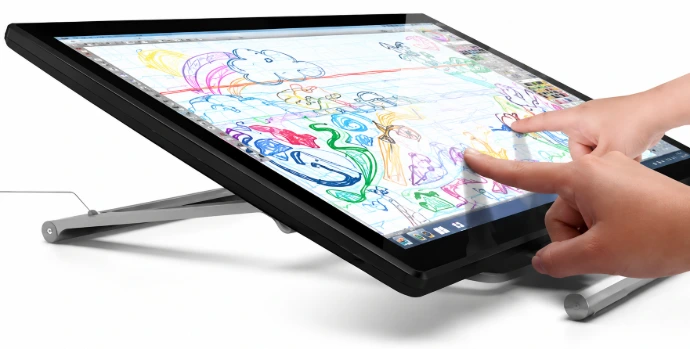
A touchscreen terminal lets an operator (on-site or centrally, depending on configuration) access, process and transfer weighing records without needing to be physically at the platform — useful for sites that want partial oversight rather than fully unmanned operation.
7. Esit SPWinPRO Software
SPWinPRO is the advanced scale and traffic management software at the core of the system, built for professional/enterprise use and running on an external PC. It handles security, plate recognition, unattended (operator-free) weighing, and flexible, configurable reporting — the layer that ties every hardware component above into one auditable workflow.
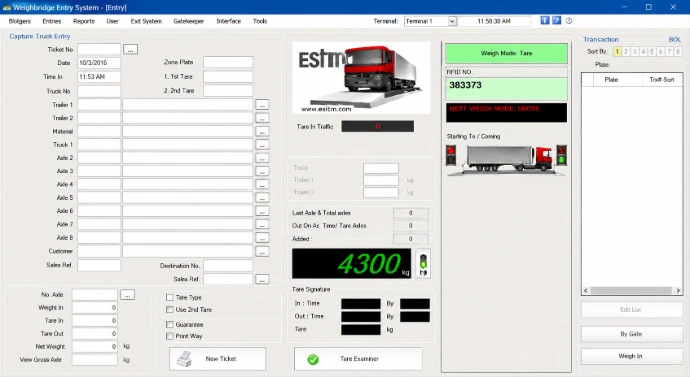
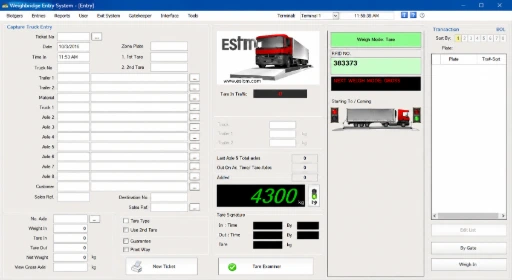
8. Local network or remote access :
Reports can be generated from any computer on the local network through SPWinPRO. For operators running weighbridges across multiple locations — a quarry in Nakuru and a processing plant in Nairobi, for example — data from each site is stored both locally and centrally at head office, giving management one consolidated view of tonnage across the business.


9. Software Integration:
SPWinPRO integrates with ERP systems including SAP, Oracle, Microsoft Dynamics, Sage and Odoo via two methods: a web server export, where the user retrieves weighing data in XML format for a specified date-time range over HTTP; or direct SQL database integration, where the ERP imports data straight from SPWinPRO's SQL tables. Either method removes the manual re-keying step that causes most weighbridge-to-finance data errors.


ENTRANCE CONFIGURATION

EXIT
CONFIGURATION

ENTRANCE CONFIGURATION

EXIT
CONFIGURATION

Benefits of Automating Your Weighbridge in Kenya & East Africa
Faster Vehicle Turnaround
Removing manual data entry and paper ticketing from every transaction is the single biggest driver of reduced queue times, particularly at high-volume sites processing fifty or more trucks a day.
Elimination of Weighing Fraud and Human Error
Camera evidence tied to every weighing record, combined with automated vehicle recognition, closes off the two most common sources of weighbridge disputes in Kenya: collusion between drivers and clerks, and simple manual transcription error.
True 24/7 Unmanned Operation
Sites that need to keep receiving deliveries overnight — grain intake during harvest season, fuel depots, 24-hour quarry operations — can run the weighbridge without a night-shift clerk on the platform, while still capturing a full audit trail.
Regulatory Compliance and Defensible Records
Kenya's Traffic Act (Cap. 403) sets axle load and gross vehicle weight limits, and KeNHA's weighing-station regulations govern how vehicles are processed at weighbridges, including the issuance of weighbridge report forms and the handling of overloading cases. An automated, time-stamped, photographically-verified weighing record gives an operator a far stronger position if a reading from their private weighbridge is ever queried against a public KeNHA weighbridge result.
Cleaner Data for Finance and Operations Teams
With weighing data flowing automatically into SAP, Oracle, Sage, Odoo or another ERP, finance teams reconcile freight invoices against actual recorded tonnage without waiting on a manually compiled end-of-day report, and operations managers get real-time visibility into throughput across every site on the network.
Weighbridge Automation Across Kenya and East Africa
Scalestech installs and supports ESIT SPWIN weighbridge automation systems across Kenya and East Africa, helping businesses streamline truck weighing, improve accuracy, enhance security, and reduce manual intervention.
Explore some of our completed weighbridge automation projects, including;
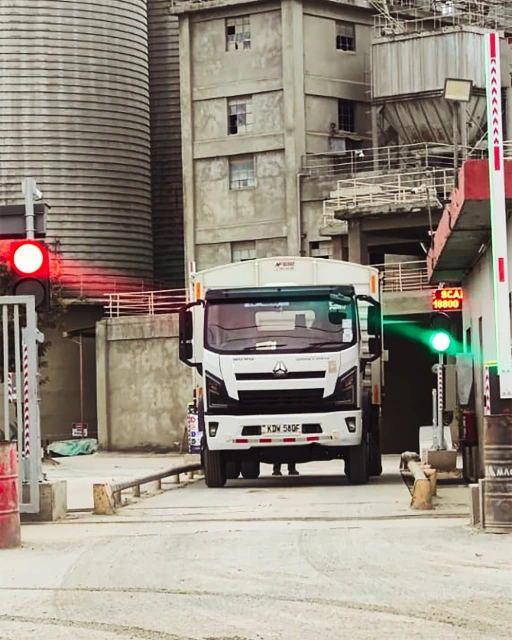
Savannah Cement Weighbridge Automation & SAP Integration
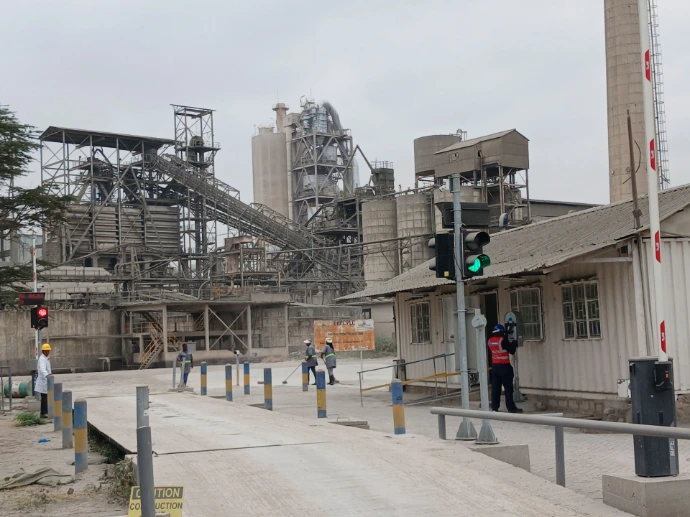
Weighbridge Automation at East African Portland Cement, Athi River
Frequently Asked Questions
What is a weighbridge automation system?
A weighbridge automation system is hardware and software layered onto a truck scale that handles vehicle recognition, weighing, photographic evidence and data reporting without requiring a clerk to manage each step manually. The ESIT SPWIN system is one such setup, built around ESIT's SPWinPRO software.
How does an unmanned weighbridge work?
An unmanned weighbridge identifies the vehicle automatically (RFID, barcode, plate-recognition camera, or similar), guides the driver through weighing via a message panel, captures the weight and camera images, then releases a barrier once the transaction is logged — all without a human operator present at the platform.
Is weighbridge automation legal and compliant in Kenya?
Yes. Private, on-site weighbridge automation systems are a standard operational tool for logistics, mining, agriculture and manufacturing businesses. They operate alongside, not instead of, KeNHA's public national weighbridge network, and the digital audit trail they produce can support compliance with the Traffic Act's axle load and gross vehicle weight requirements.
How much does weighbridge automation cost in Kenya?
Cost depends on the number of lanes, the vehicle recognition method chosen, whether multi-site reporting is needed, and the depth of ERP integration required. Scalestech scopes each installation individually — request a quote via this page for a site-specific figure.
Can ESIT SPWIN integrate with my existing ERP?
Yes. SPWinPRO integrates with ERP systems such as SAP, Oracle, Microsoft Dynamics, Sage and Odoo, either through an XML web-server export for a specified date range, or by direct SQL database integration.
What is the difference between SPWin and SPWinPRO?
SPWinPRO is the advanced, professional-grade version of ESIT's weighbridge software — it adds extended security, plate recognition and unattended (operator-free) weighing on top of the base SPWin feature set, and is the version used in a full ESIT SPWIN automation deployment.
Does Scalestech install weighbridge automation outside Nairobi?
Yes. Scalestech installs and supports ESIT SPWIN systems across Kenya — including Mombasa, Kisumu, Nakuru, Eldoret and Thika — and extends service into Uganda, Tanzania, Rwanda, Zambia and Sudan for regional and cross-border operators.
How long does a weighbridge automation installation take?
Timelines depend on site readiness — existing weighbridge condition, civil works for barriers and cameras, and network/ERP setup. A site survey is the first step; Scalestech confirms a project timeline once scope is agreed.
Can the system operate fully without an operator, 24/7?
Yes. SPWinPRO is designed to support unattended weighing, so sites that need continuous overnight or 24-hour intake — such as grain depots during harvest or fuel terminals — can run the weighbridge without a clerk on shift while still capturing a full digital audit trail.
ENTRANCE CONFIGURATION
EXIT
CONFIGURATION